FounderWay turns a founder's prompt into a pitch deck, GTM plan, and hypothesis canvas. I designed the end-to-end flow, now used by 1,000+ founders.
FounderWay · founderway.ai
See it liveThis case study is about making a new kind of AI product easy to use. In 2024, AI was unfamiliar to most founders, and they needed to understand how to move through FounderWay without getting lost. I designed the flow that made it simple.
- Role
- UX/UI Designer
- Timeline
- Four months · 2024
- Team
- 3 designers across parallel work streams · product + engineering teams
- Status
- Live in the FounderWay product
Problem
AI was new, and founders had to learn a product unlike anything they'd used.
In 2024, most founders had only met AI through chat. Landing in FounderWay, they weren't sure how to move through it or where to start. The problem was usability: making an unfamiliar AI product clear enough to understand and navigate on day one.
Solution
Design that made the product easy to learn and move through.
I focused on the design decisions that made FounderWay understandable, so a founder could see where to start, what each step did, and how to get from a prompt to a finished asset, without guessing. Three entry paths (Ace, search, the template library) meet founders wherever they are, and onboarding teaches the product on day one.
Impact
FounderWay today
What FounderWay is
FounderWay is an AI-powered platform for founders building and scaling a startup. From the home screen ("Hey Founder, what can I help you with?"), a founder either asks Ace, the AI Copilot, or searches the template library. In Ace, the founder describes their context: the kind of business, the report they need, who it's for. Ace routes them to the right template, FounderWay generates a response against it, and the founder edits it inline.
What a founder generates: validation hypotheses, pitch decks, go-to-market strategies. Assets that normally take weeks of consulting work to assemble. That power was the design problem.
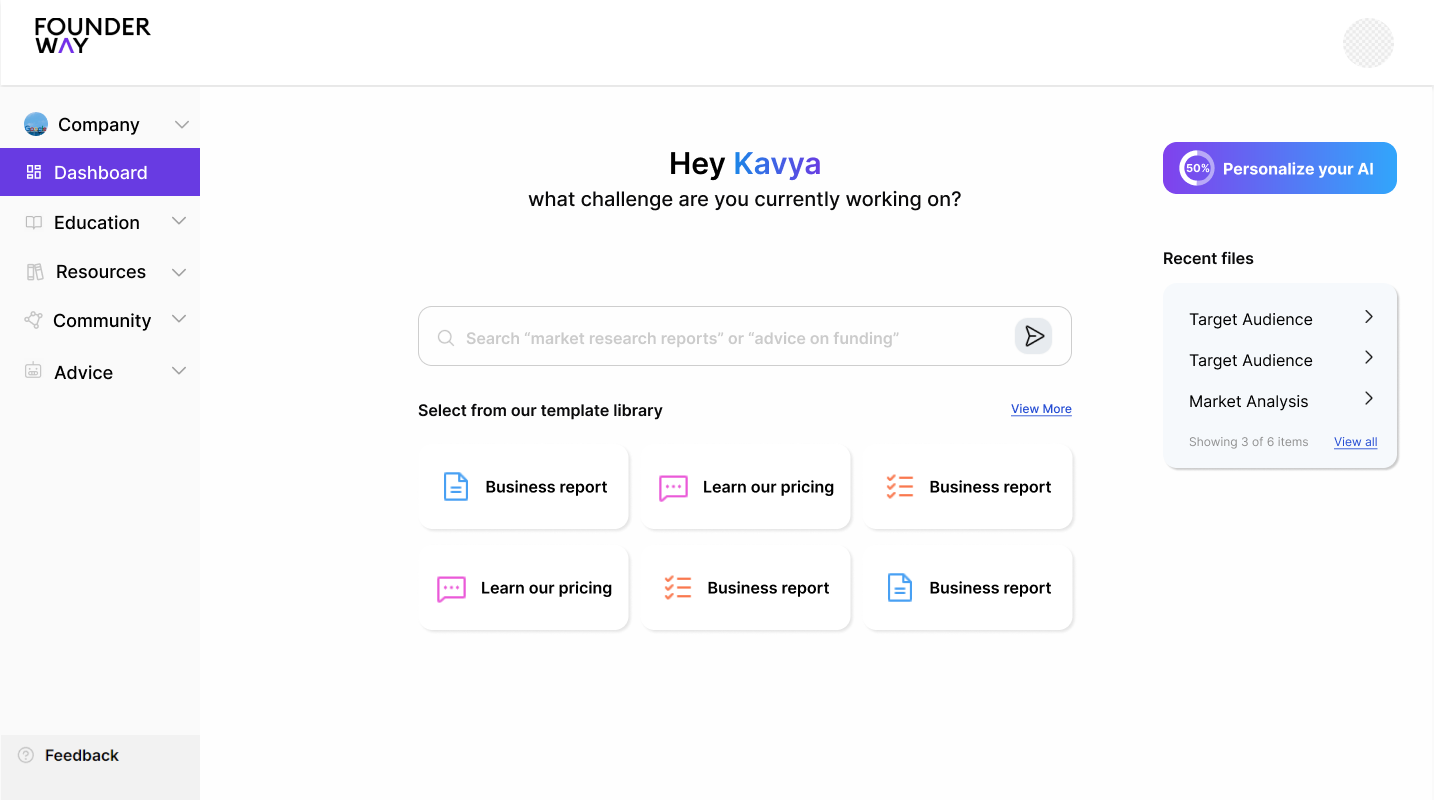
Chat could answer a founder. It couldn't deliver a pitch deck.
How does a founder type a prompt and walk away with a report they can ship?
A chat reply answers a question. It doesn't produce a structured asset a founder can present next week. The real design problem sat downstream of the front door: a founder needed to describe what they wanted in plain language, get a structured asset back (a pitch deck, a GTM strategy, a hypothesis canvas), rearrange and customize the sections, and ship it. The flow had to do all of that.
Onboarding was part of the work, because the model was new and founders were trained on chat. But it was the path to the real system, not the system itself.
I designed the report system. The onboarding got founders to it.
Onboarding had to teach the product, not just open the door.
In 2024, ChatGPT was the AI most users had touched. FounderWay wasn't just a chat. It generated structured assets a founder could take and build with.
We built onboarding to give users an introduction to what FounderWay does beyond chat. The goal was for a founder to get a clear picture of what's different here from the other chat AI tools they'd already used, so they knew what to expect on day one.
- Ace, the AI Copilot for the founder who wants to discover what FounderWay can do.
- Search for the founder who already knew what they wanted.
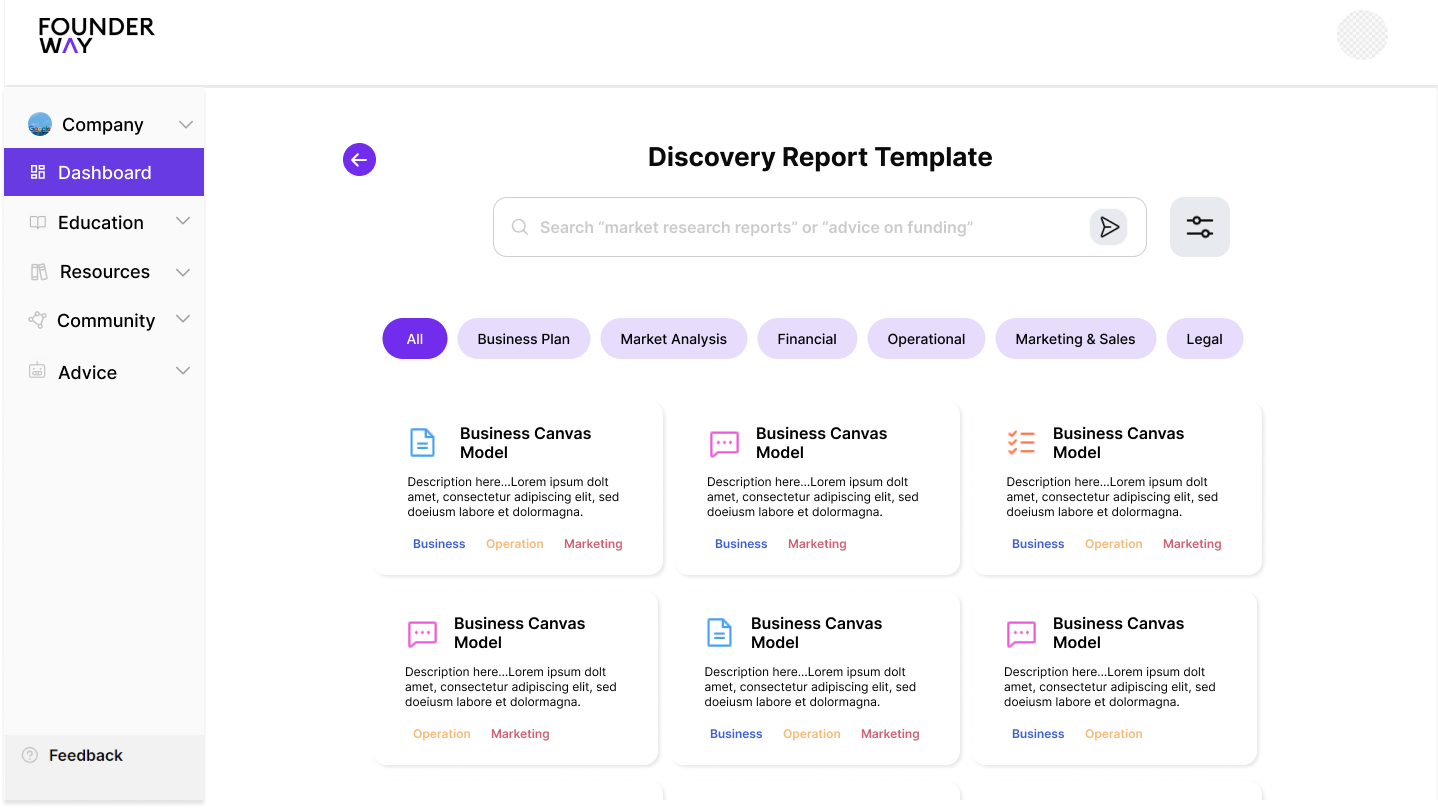
- Template library for the founder who wanted to browse before committing.
The benefit was that no founder, regardless of where they came in from on day one, had to translate their intent into a pattern that didn't match it.
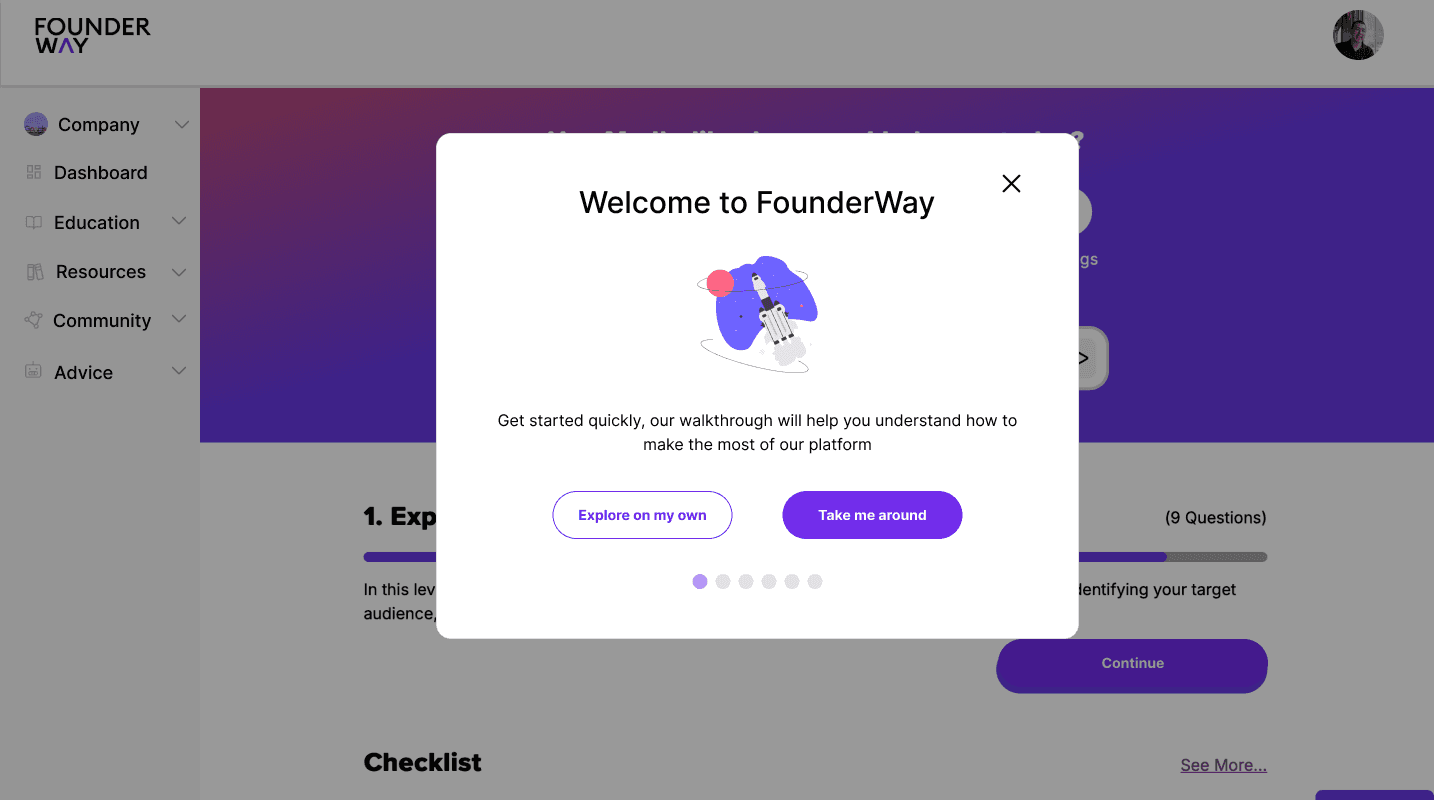
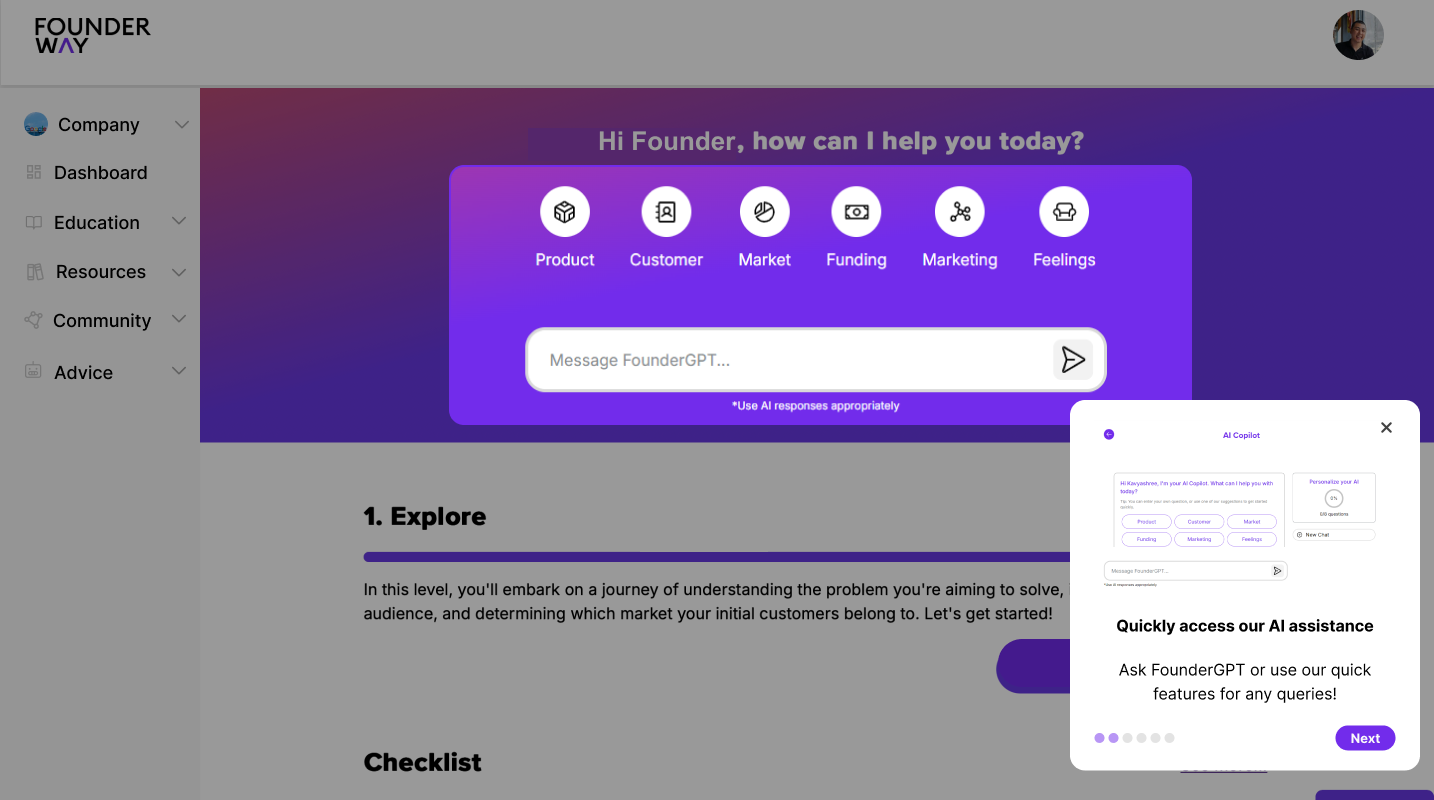
All three paths converged on the same generation step. The point wasn't variety. The point was meeting a founder where they actually were when they signed up.
The reports were the main thing. I designed the system around them.
Knowing the founder before they prompted.
FounderWay isn't a generic AI base. When a founder signs up, they tell us about their business: what they do, who they are, what they're working toward. By the time they ask for a report, the knowledge base already holds enough to make it specific to them.
"I have a meeting with a competitor about this product. I need a one-pager."
FounderWay generates against the founder's actual business, not a generic founder.
Research with each founder.
Before designing the reports, I spoke with founders to understand the journey they were going through. What felt clear. What didn't. Where they got stuck. I mapped the user journey below from those conversations.
AI analysis behind what gets generated.
For each report type, I worked through what a founder actually needs on the page: the sections, the structure, the level of fidelity. The AI doesn't generate freeform. It generates against templates I defined per report, structured around the work founders do at every stage of their startup. The activities on the left informed the report templates on the right.
The report screen.
The report screen ended up with five core capabilities (Edit, Save, Share, Present/Preview, Download/Export), each one designed to work across every report type. The Edit affordance had its own sub-decisions: theme edit, content edit, style edit, template library access, AI feedback. The Share affordance had three access tiers (Open to Anyone, Restricted, plus role-based Viewer/Editor/Commenter). Those weren't visual decisions. They were decisions about how a founder works with their generated report once it lands.
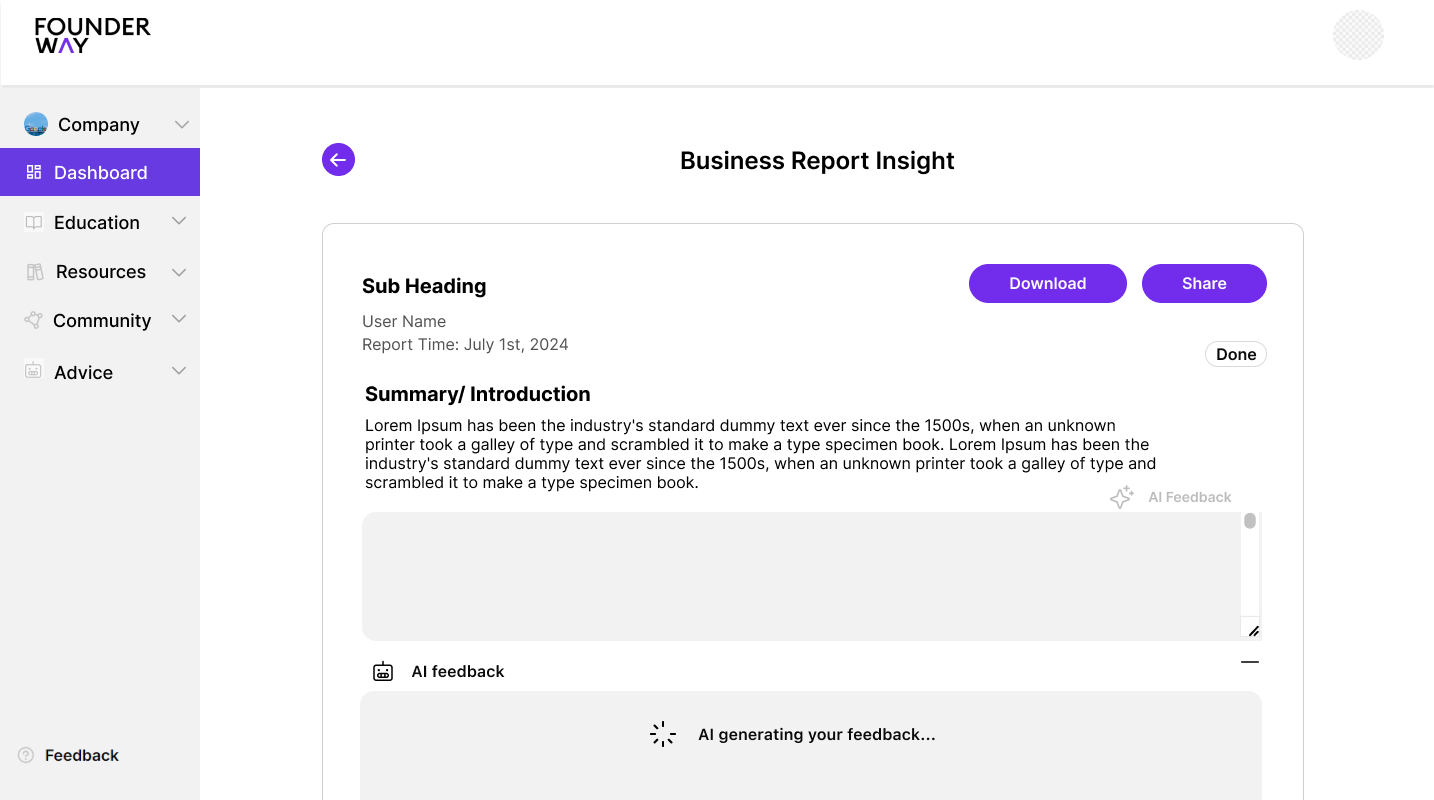
What I left behind for FounderWay's team
Alongside the flow, I added to FounderWay's design system: tokens, foundations, first-wave components, responsive grids. The point wasn't a complete library on day one. It was leaving the team with enough structure to keep building on the product as it grew, without rebuilding buttons, forms, and grids on every new surface.
What this work taught me
Designing for an AI product means designing the surfaces around the AI more carefully than the AI itself. The AI is good. The path into it, and the working environment after it, are what determine whether a founder gets value out of the product.
A great pitch deck a founder can't edit, share, or come back to is still a draft artifact. Designing the entire architecture is what makes the AI feel like a product.
Credits
- UX/UI Designer
- Kavyashree Upendra
- Design team
- Three designers across parallel surfaces of the same product
- Partner team
- FounderWay product + engineering
- Tools
- Figma, FigJam, Photoshop
- Status
- Live in the FounderWay product at founderway.ai
See it live
The flow ships in production at FounderWay today. New founders sign up and move through the entry, AI generation, and report environment I designed.
Visit founderway.ai